
Many creators find their Reels plateauing at 300 to 500 views, regardless of how frequently they post. When reach stalls, the issue is rarely account age or bad luck. In almost every case, the video fails to trigger the two metrics the modern Instagram recommendation algorithm cares about most: high average watch percentage and external share rate.
Instagram does not promote content simply because it has good visual resolution. The system promotes videos that hold viewer attention long enough to keep them on the platform. Here are six practical methods to break through view plateaus.
1. Eliminate the 2-Second Dead Space
The single most common mistake in underperforming Reels is starting with an empty introductory phrase or delayed motion. Saying "Hey guys, today I want to talk about..." wastes the only window you have to stop a user's thumb.
Instead, start in media res:
- Show the finished result in frame one before cutting back to step one.
- Place a bold text title in the safe center area answering the question: "Why does this matter to me?"
- Introduce motion in the first 0.5 seconds: step toward the camera, make a fast cut, or point to an on-screen graphic.
2. Engineer Seamless Loop Points
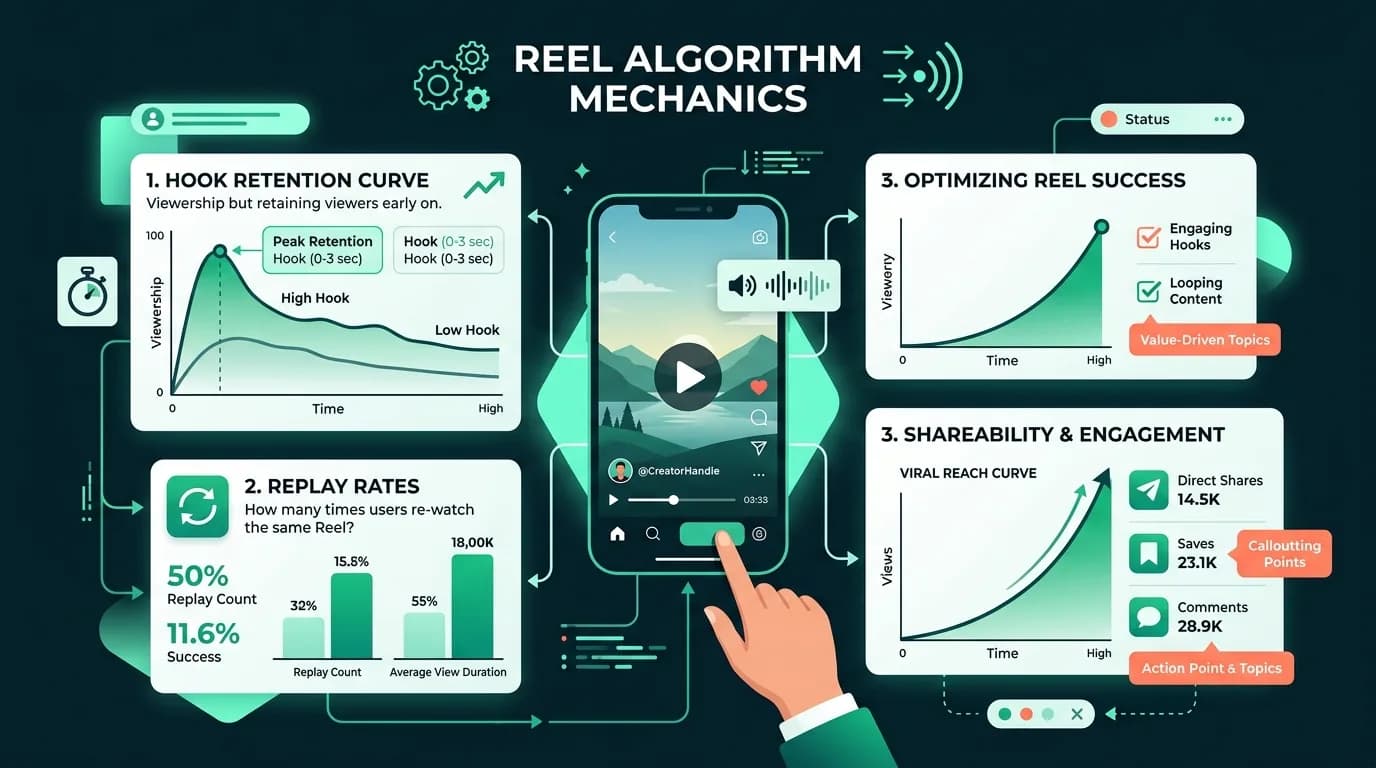
Average watch percentage is a primary ranking signal. If a 12-second Reel has an average watch time of 15 seconds, its completion rate exceeds 120%, which strongly signals engagement to the algorithm.
To create an effortless loop:
- Match your closing sentence to your opening hook. For example, end with: "And that is the exact reason..." and start your opening frame with: "...why your Reels stop getting views."
- Connect background audio so there is no audible break when the video repeats.
- Keep total runtime between 7 and 15 seconds for non-storytelling clips to make double-plays effortless.
3. Prioritize DM Shares Over Likes
In 2026, Instagram's leadership has repeatedly stated that sends via direct message are one of the heaviest signals in recommendation scoring. A user sharing your video with a friend tells the system that the content has genuine interpersonal value.
Create content designed to be forwarded:
- Relatable observations: "Send this to someone who always forgets to back up their files."
- Niche checklists: Curate a list of five specific tools, software settings, or locations that viewers want to reference later.
- Counter-intuitive comparisons: Present side-by-side tests that spark debate.
4. Strip Third-Party Watermarks Completely
Instagram's computer vision directly checks for low-resolution exports and foreign platform logos. If you export a video from TikTok or CapCut containing a visible badge, Instagram's system automatically demotes its recommendation eligibility on the Explore and Reels tabs. Always export clean master video files before uploading natively.
5. Align On-Screen Text with In-App Search
Instagram functions increasingly as a search engine. When users search for queries like "how to grow on instagram" or "easy sourdough recipe," the algorithm reads on-screen text overlays, spoken voice transcripts, and caption phrasing.
- Keep your primary keyword in the on-screen text box.
- Say the target phrase naturally in your spoken voice within the first five seconds.
- Use the caption for concise contextual details rather than a block of twenty generic hashtags.
6. Review Retention Curves in Professional Dashboard
After publishing, wait 48 hours and inspect the video's retention chart in your Professional Dashboard. Look at the drop-off line:
- A steep drop in the first two seconds indicates a weak hook.
- A steady downward slope shows unnecessary dead time or slow editing.
- A flat line followed by a second viewing bump indicates successful loop engineering.
Use a sustainable content strategy, and compare a one-time visibility package only if its scope, price, requirements, and refund terms fit your campaign.