
Few experiences are more alarming for a creator or business than experiencing an abrupt, catastrophic collapse in reach. You post a piece of content that you expect to perform well, but hours later, views are stuck in double digits, non-follower reach has plummeted to zero, and your regular audience seems completely unaware of your latest updates. The instinctive reaction is almost universal: 'My account has been shadowbanned.'
While platforms rarely use the colloquial term 'shadowban', both Instagram (Meta) and TikTok (ByteDance) maintain sophisticated policy-enforcement systems that actively limit what they classify as 'Recommendation Eligibility'. Understanding the technical difference between a genuine policy restriction and creative audience fatigue is critical. Here is your definitive diagnostic guide to auditing your account status and executing a systematic recovery protocol.
The Crucial Distinction: Recommendation Ineligibility vs. Creative Fatigue
Before panicking, understand that a drop in views does not automatically mean your account is penalized. Platforms distinguish between two very different phenomena:
- True Recommendation Ineligibility (The Real Shadowban): The platform's algorithm has flagged your account for violating Community Guidelines or Recommendation Guidelines. Your content is completely excluded from non-follower discovery surfaces like Instagram Explore, Reels tab, and the TikTok For You page.
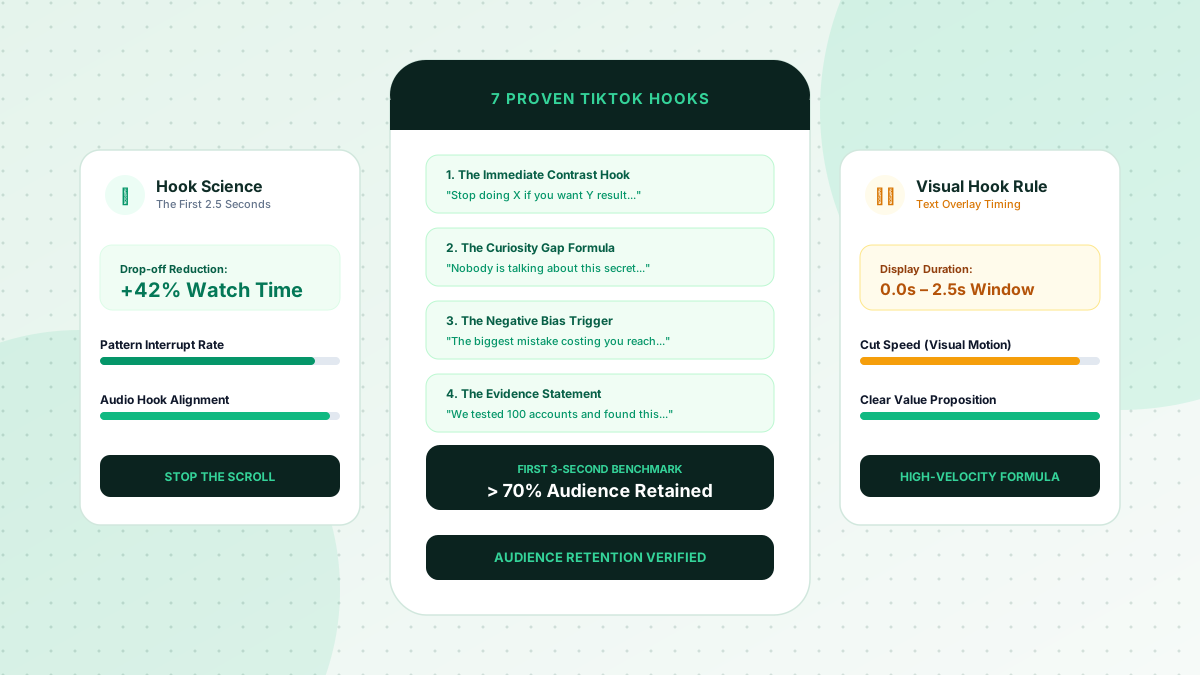
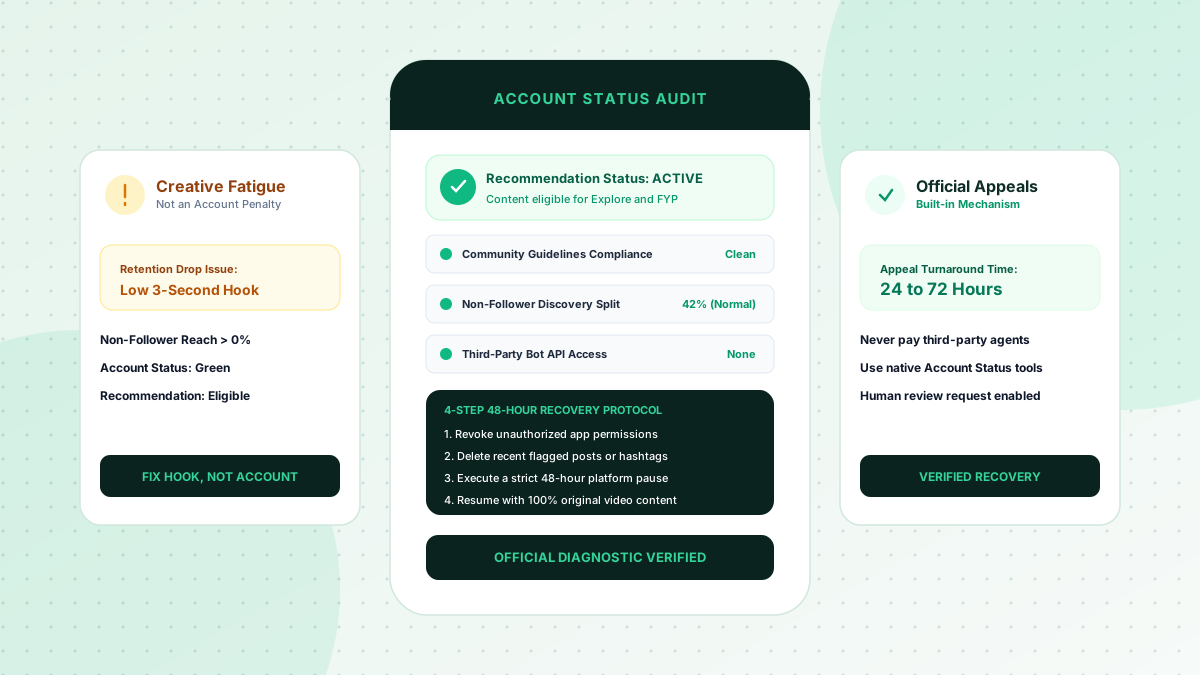
- Creative Audience Fatigue (Low Retention Drop): Your content remains fully eligible for recommendation, but the opening hook failed to retain viewers during the initial testing batch (seconds 0 to 3). The algorithm simply ceased distribution because audience completion metrics were poor.
How to Audit Your Account Status (The Diagnostic Protocol)
Never pay third-party 'shadowban checking' websites. They rely on public scrapers and have zero visibility into internal platform moderation flags. Use these official native diagnostic tools instead:
The Official Instagram Account Status Check
- Navigate to your Instagram Profile and open Settings and Privacy.
- Scroll down to the 'More info and support' section and tap Account Status.
- Review the 'What can be recommended' and 'Removed content' tabs. If you see a green checkmark stating 'Your content can be recommended to non-followers', your account is NOT shadowbanned.
- If you see an orange warning or red alert, Instagram will display the exact post that triggered the penalty, the specific guideline breached, and a native 'Request a Review' appeal button.
The TikTok Analytics Traffic Source Audit
- Open TikTok Creator Studio and tap on Analytics for your last 3 videos.
- Navigate to the 'Traffic Sources' tab and inspect the percentage breakdown.
- Under healthy conditions, 'For You' should account for 50% to 90% of total views. If 'For You' is strictly at 0% across multiple consecutive videos, your account is facing a temporary recommendation restriction.
- Check your System Notifications inbox under 'Account Updates' for any community guideline strikes or content removal notices.
Common Root Causes of Recommendation Restrictions
If your diagnostic audit reveals a genuine restriction, it was likely triggered by one of these operational violations:
- Unauthorized Third-Party Tools: Connecting unauthorized auto-schedulers, unfollow trackers, or scraping tools that utilize unofficial API hooks or browser emulation.
- Flagged or Prohibited Hashtags: Using hashtags that have been hijacked by spam or inappropriate content.
- Aggressive Interaction Velocity: Rapidly following, liking, or commenting in repetitive bursts that trigger automated anti-bot rate limiters.
- Copyright or Music Licensing Infringements: Repeatedly using unlicensed commercial audio tracks on business accounts.
- Sensationalist or Misleading Content: Posting unverified health, financial, or clickbait claims that trigger content moderation filters.
The 4-Step 48-Hour Recovery Protocol
To clear platform moderation flags and restore normal recommendation distribution, execute this exact recovery sequence:
- Revoke All External App Permissions: Go to your account security settings and disconnect every connected third-party app, analytics scraper, and scheduling tool.
- Prune Flagged Content: Immediately delete or archive any post flagged in Account Status or any recent post containing disputed copyright claims or spam hashtags.
- Execute a 48-Hour Platform Pause: Log out of your account on all secondary devices and do not post, comment, like, or perform any mass actions for 48 full hours. This allows automated temporary rate-limit cooldown timers to expire.
- Resume with High-Value, Clean Video Content: On day 3, post an original, 100% compliant video with native in-app audio and clean conversational captions. Monitor the traffic source split over the subsequent 24 hours.
Use a sustainable content strategy, and compare a one-time visibility package only if its scope, price, requirements, and refund terms fit your campaign.