
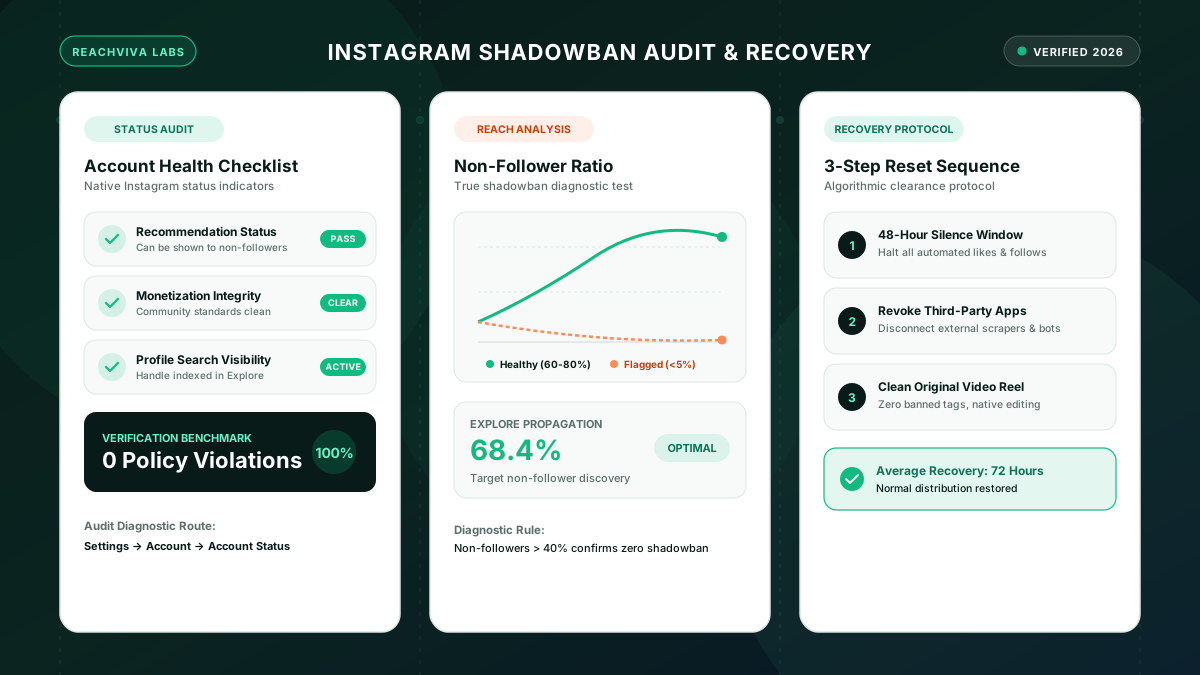
When views and likes drop suddenly, creators frequently assume their account has been shadowbanned. While legitimate recommendation restrictions do happen, most engagement drops stem from audience fatigue, algorithm updates, or poor retention. However, knowing whether your account is officially penalized is critical, because real restrictions require specific corrective steps.
Here is the exact diagnostic process to determine whether your account is shadowbanned or simply experiencing natural engagement variance.
What an Instagram Shadowban Actually Is
A shadowban is not a formal platform term, but it describes a verified technical restriction: Instagram prevents your posts, Reels, and profile from appearing to users who do not already follow you.
When restricted:
- Your content does not appear on the Explore tab.
- Your Reels are withheld from the non-follower Reels recommendation feed.
- Your username does not appear in search auto-complete results unless an account already follows you.
- Your posts do not register under public hashtag feeds.
Your existing followers can still view your content in their main feed and Stories. The restriction specifically blocks top-of-funnel discoverability.
Step 1: The Official Account Status Check
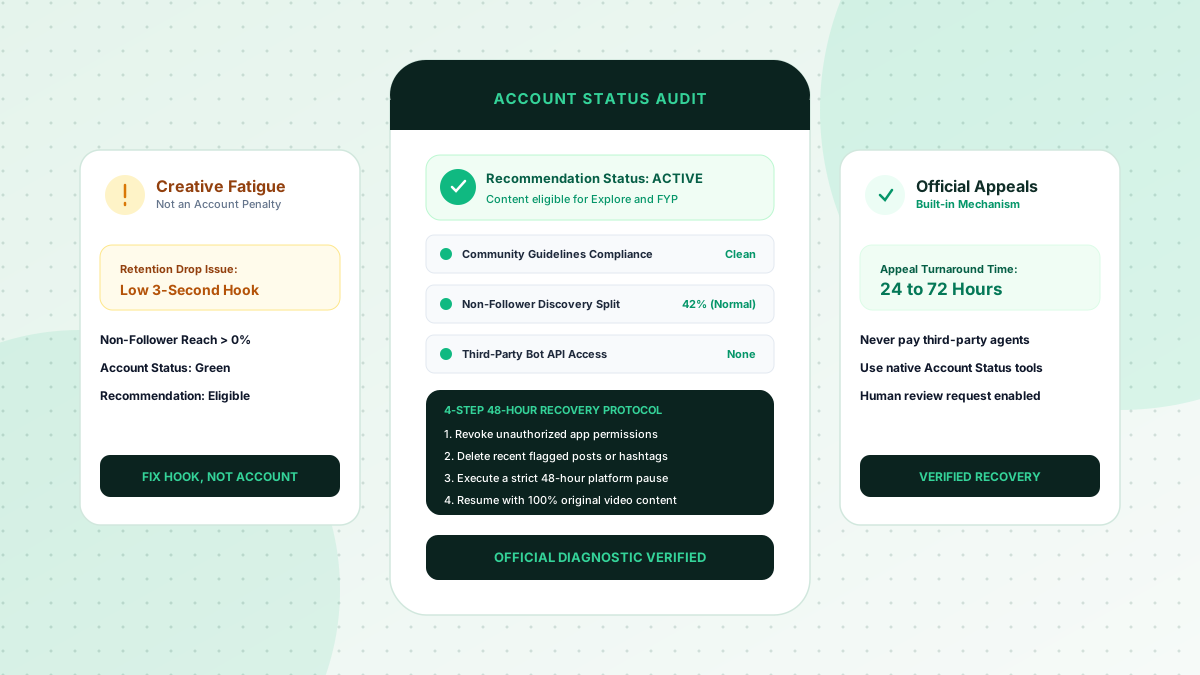
Instagram provides a direct dashboard to monitor recommendation eligibility. Do not rely on third-party audit websites that ask for your password. Check directly within the app:
- Open your profile and tap the three-line settings menu in the top right.
- Scroll to the bottom and select Account Status (under More Info and Support).
- Inspect four critical indicators:
- Recommendation Guidelines: Does this show a green checkmark indicating your content can be recommended to non-followers?
- Monetization Status: Are branded content tools in good standing?
- Community Guidelines: Are there flagged posts or active strikes?
- Feature Availability: Are direct messaging and commenting fully enabled?
If you see an orange exclamation mark or a notification stating "Your account can't be shown to non-followers," you have an active recommendation penalty. Tap into the notification to see the exact post responsible.
Step 2: The Non-Follower Analytics Audit
If your Account Status displays all green checkmarks but your views feel abnormally low, check your distribution analytics:
- Open your Professional Dashboard > Accounts Reached.
- Scroll down to review the breakdown of Followers vs. Non-Followers.
- On healthy public accounts publishing regular Reels, non-follower reach typically represents between 30% and 75% of total reach.
- If your non-follower reach drops to 0% across five consecutive posts, your account is likely experiencing automated algorithmic filtering, even if a formal strike has not yet appeared in Account Status.
Step 3: The Hashtag Isolation Test
To confirm whether your content is hidden from public discovery feeds:
- Publish a new post and include an uncommon, low-volume hashtag in the caption (for example, #reachvivaaudit2026).
- Log out of your account, or ask a friend who does not follow you to open Instagram on their device.
- Have them search for that specific hashtag and select the "Recent Top Posts" feed.
- If your post appears on their screen, your account is not shadowbanned. If the post is completely invisible to non-followers on search feeds, your content is undergoing automated filtering.
How to Clear a Recommendation Restriction
If you have an active restriction:
- Delete or archive any post flagged in Account Status, or submit a formal appeal through the prompt.
- Disconnect unverified third-party analytics apps or automated scheduling tools connected through your profile permissions.
- Cease all automated liking, commenting, or following activity for 72 hours.
- Publish clean, original content adhering to standard Community Guidelines for two consecutive weeks.
Use a sustainable content strategy, and compare a one-time visibility package only if its scope, price, requirements, and refund terms fit your campaign.